Inside Raycast's Design System
How Raycast's design system nails the keyboard-first developer aesthetic — sharp dark UI, tight spacing, and monospace accents, captured in an agent-readable DESIGN.md.
There's a specific aesthetic that developer tools have converged on over the last few years: sharp, dark, dense, and fast. Raycast is one of its sharpest examples. It's a launcher and command palette that lives one keystroke away, and everything about its design language says "you will not be reaching for the mouse." Publicly, the brand is known for a precise, keyboard-first interface — tight spacing, crisp dark surfaces, and the kind of restrained polish that power users notice and casual users never have to. Captured as a DESIGN.md, that aesthetic becomes something an AI agent can reproduce: feed it the spec and you get developer-tool UI that feels native to the terminal-adjacent world.
This piece breaks down how the Raycast DESIGN.md encodes the keyboard-first developer aesthetic in tokens — the dark surfaces, the tight rhythm, the monospace accents — and why those choices serve a power-user audience so well. The full token set lives on the Raycast design system page.
This piece interprets the product's publicly indexed DESIGN.md and brand aesthetics; it is not affiliated with or endorsed by the companies named.
Key Takeaways
- Keyboard-first changes the layout. The DESIGN.md captures a system optimized for command palettes and list navigation, not pointer-driven dashboards.
- Density is a feature. Tight spacing and compact rows let power users scan and act fast — the opposite of consumer breathing room.
- Dark and sharp by default. Crisp dark surfaces and restrained radii give the product its precise, developer-native feel.
- Monospace earns its place. Monospaced accents signal "this is a tool," reinforcing the terminal-adjacent identity — a hallmark of dev-tool design systems.
- An agent can ship it. Hand the DESIGN.md to a coding agent and command-palette-style UI comes out, exactly as Stitch-style design systems intend.
What Does "Keyboard-First" Mean for a Design System?
Most design systems quietly assume a mouse. They optimize for tap targets, hover states, and pointer affordances. A keyboard-first system inverts that. The primary interaction is typing and arrow-key navigation through lists; the primary surface is a command palette, not a sprawling dashboard.
The Raycast DESIGN.md captures this in its priorities. Rows are compact and uniform so they scan quickly under arrow-key navigation. Selection states are clear and high-contrast because they're driven by the keyboard, not a hovering cursor. Visual hierarchy favors speed of recognition over decorative flourish. The result is an interface that feels less like a website and more like a well-tuned instrument — and that's a deliberate set of constraints a design token spec makes explicit so an agent doesn't default to a mouse-first layout.
The Color System: Sharp Dark Surfaces
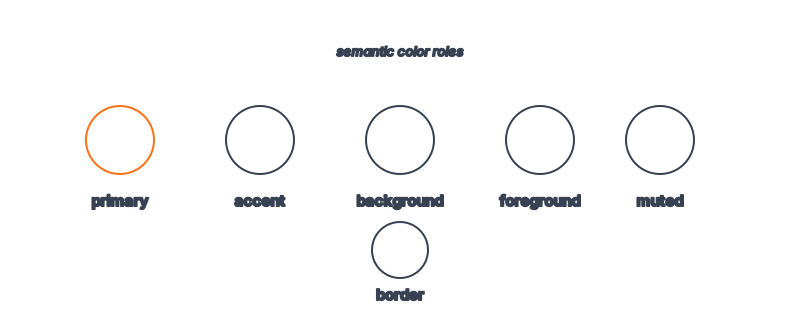
Raycast's palette is dark-first and restrained. The DESIGN.md captures crisp dark backgrounds — not the soft, warm darks of a consumer app, but cooler, sharper neutrals that read as precise and technical. Surfaces are layered subtly to separate the command bar from results from detail panes, all without bright borders.
Accent color is minimal and purposeful. Where the system uses color, it's for selection, status, and the occasional brand moment — not decoration. Foreground text sits in clean off-whites and grays tuned for legibility against the dark surfaces. This is the developer-tool color discipline in its purest form: the interface should disappear so the work doesn't have to compete with the chrome. The same restraint shows up in other tools built for solo builders who keep them open all day.
Typography and the Role of Monospace
Raycast's type system is clean and functional, built around a legible sans-serif for general UI. But the distinctive touch is monospace. The DESIGN.md captures monospaced type as an accent — used for commands, shortcuts, code-like values, and anything that should read as "machine." That single choice does enormous identity work: monospace instantly signals "developer tool" in a way no color ever could.
Spacing and line-height are tuned for density. Rows are tight, line-height is controlled, and the type scale stays modest — there are no poster-sized headings here, because the product is about throughput, not editorial drama. For an agent, capturing both the sans-serif base and the monospace accent is what makes the output feel genuinely Raycast rather than just "a dark app." This is exactly the nuance a typography system for AI UIs is meant to preserve.
Spacing, Radius, and the Precise Feel
The "sharp" quality of Raycast comes from spacing and radius working together. The DESIGN.md encodes tight, consistent spacing — compact padding, uniform row heights, minimal gaps — that gives the interface its dense, efficient rhythm. Radii are restrained: rounded enough to feel modern, sharp enough to feel precise and tool-like. Nothing here is soft or playful; every value reinforces the sense of a finely machined instrument.
These are the decisions that distinguish a power-user tool from a consumer app. An agent left to defaults will loosen spacing and round corners toward "friendly." The spec exists to keep the output tight, sharp, and fast.
Token Reference
| Token | Value / Direction | Role |
|---|---|---|
| Background | Cool, sharp dark | Precise, technical canvas |
| Surface | Subtle dark layers | Command bar / results / detail panes |
| Accent | Minimal, purposeful | Selection, status, brand moments |
| Foreground | Clean off-white / gray | High legibility on dark |
| Font family | Functional sans-serif | General UI text |
| Mono accent | Monospaced type | Commands, shortcuts, "machine" feel |
| Heading scale | Modest | Throughput over drama |
| Radius | Restrained / sharp | Precise, tool-like |
| Spacing | Tight / dense | Fast scanning, power-user rhythm |
Feeding the Raycast DESIGN.md to an Agent
Here's the practical test. Prompt a coding agent with "build a command palette with searchable results" and the Raycast DESIGN.md, and you get compact uniform rows, a sharp dark surface, clear keyboard-driven selection states, and monospace where it belongs. The agent isn't inventing a developer aesthetic from scratch — it's reasoning inside Raycast's token boundary, which is the entire premise of how agents build on-brand UIs.
For anyone building internal tools or developer products, this is a fast path to a credible, native-feeling UI. You can see how the approach generalizes across products in our tour of 135 design systems.
Frequently Asked Questions
What does "keyboard-first" actually change?
It shifts the design from pointer-driven dashboards to list-and-command-palette navigation. Rows get compact and uniform, selection states get high-contrast, and hierarchy favors fast recognition over decoration — all encoded in the DESIGN.md.
Is this an official Raycast design file?
No. The Raycast DESIGN.md indexed on aiskill.market interprets Raycast's publicly observable design language. It is not affiliated with or endorsed by Raycast.
Why does Raycast use monospace?
Monospace signals "developer tool." Used as an accent for commands and shortcuts, it gives the interface a terminal-adjacent identity that a regular sans-serif can't convey — which is why the spec captures it explicitly.
Can an agent reproduce the Raycast look?
Yes, to a strong degree. The combination of sharp dark surfaces, tight spacing, restrained radii, and monospace accents is exactly what a DESIGN.md captures — see how agents build on-brand UIs.
Where can I see the actual tokens?
The Raycast design system page lists the full token set and component guidance, ready to feed to an agent.
Browse 135+ agent-ready design systems in the Designs category, or explore the full skill catalog at aiskill.market.