Dev Tool Design Systems
The dev-tool design aesthetic decoded: dark-first, dense, keyboard-driven systems from Raycast, MongoDB, and Linear-like tools — and how to give your agent the look.
Open Raycast, then a modern IDE, then a tool like Linear, and you will notice they feel like cousins. Dark backgrounds, tight spacing, monospace accents, restrained palettes, and an obvious bias toward speed and density. This is not a coincidence or a trend — it is a coherent design philosophy built around a specific user: someone technical, keyboard-driven, and impatient with anything that wastes a pixel or a keystroke. Understanding the dev-tool aesthetic is useful even if you are not building a dev tool, because it is the clearest example of how audience dictates design.
This piece interprets publicly indexed DESIGN.md specs and brand aesthetics; it is not affiliated with or endorsed by the companies named.
Where a fintech system optimises for trust, a dev-tool system optimises for throughput. The result is a look that prizes information density over breathing room and keyboard flow over mouse-friendly targets.
Key Takeaways
- Dark-first is functional, not fashionable. Developers stare at screens for hours; dark surfaces reduce glare and let syntax color and status carry meaning.
- Density is respect. Tight spacing fits more information per screen for users who want it all visible — the opposite of a padded marketing page.
- Keyboard-first design reshapes the UI. Command palettes, shortcut hints, and focus states matter more than big clickable buttons.
- Monospace and restrained palettes are signatures — see how Raycast steals density and how dev systems differ from consumer ones.
- The aesthetic is reproducible as tokens. Feed your agent a dark, dense DESIGN.md and it stops producing padded, light-mode marketing UI for a power-user tool.
Why Dev Tools Go Dark First
The dark-first default in developer tools is mostly functional. Engineers spend long uninterrupted sessions in front of a screen, and a dark surface reduces glare and eye strain over those hours. But there is a second, subtler reason: on a dark canvas, color becomes signal. Syntax highlighting, diff colors, log levels, and status indicators all read more clearly against neutral dark than against bright white, where everything competes. The dark background recedes so the meaningful color can step forward. This is why dev-tool palettes tend to be restrained — a few neutrals plus a small set of semantic accents — rather than colorful. Color is rationed because it carries information.
Density Is A Feature, Not A Compromise
Consumer apps pad generously because their users are casual and the goal is calm. Dev tools do the opposite, and on purpose. A developer wants their files, their terminal, their output, and their status bar all visible at once, because context-switching costs more than scrolling. So dev-tool systems use a tighter spacing scale, smaller default type, and compact components that fit more per screen. Raycast is the archetype — sharp edges, minimal padding, a layout engineered so a power user can see and reach everything fast. Pull the tokens from the Raycast design system and the discipline is obvious: nothing is padded for prettiness, everything is sized for speed.
MongoDB shows the other half of the dev-tool balance. As a database product, it has to present dense technical content — schemas, queries, documentation — without becoming unreadable. Its system pairs that density with documentation-grade typography and a signature green so the information stays legible and the brand stays present. Study it in the MongoDB design system.
What Makes A System Feel "Keyboard-First"?
The deepest dev-tool design decision is invisible in a screenshot: these tools assume you would rather not touch the mouse. That assumption reshapes everything. The command palette becomes the primary navigation surface, not an afterthought. Keyboard shortcut hints appear next to actions so users learn them passively. Focus states get serious design attention because keyboard users live in them — a weak focus ring is a real bug in a keyboard-first tool, not a cosmetic nit. Linear-style tools push this furthest, designing entire flows that never require a pointer. When you encode a dev-tool aesthetic for an agent, this is the part that is easy to forget and most worth including in the rationale: design the focus states and shortcut affordances as first-class, not decoration.
Dev-Tool Tokens At A Glance
| Dimension | Dev-tool convention | Why |
|---|---|---|
| Base theme | Dark-first | Reduces glare; lets semantic color signal |
| Palette | Restrained neutrals + few accents | Color is rationed as information |
| Spacing | Tight scale | Density serves power users |
| Typography | Compact, monospace accents | Code-adjacent legibility |
| Edges | Sharp / small radii | Precise, technical feel |
| Focus states | Prominent, first-class | Keyboard navigation depends on them |
| Motion | Fast, minimal | Speed over spectacle |
Read the table top to bottom and the through-line is unmistakable: every choice trades comfort for throughput, because the user values throughput more.
How To Give Your Agent The Dev-Tool Look
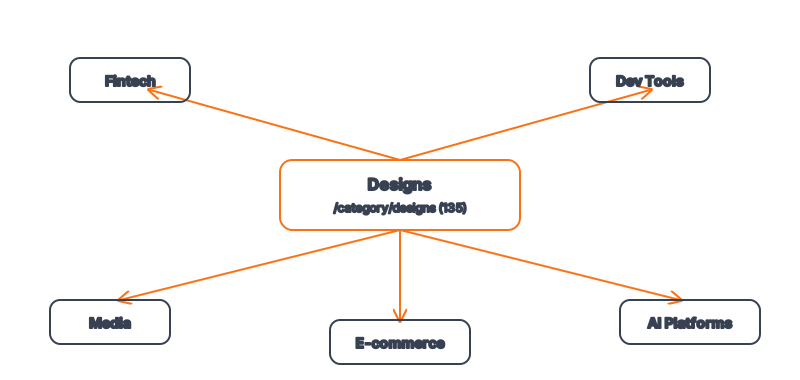
If you are building a CLI dashboard, an internal tool, or any product for technical users, the default AI aesthetic — light, padded, marketing-flavored — is exactly wrong, and an unconstrained agent will produce it anyway. The fix is a DESIGN.md tuned for the dev-tool conventions above: a dark base, a restrained palette with semantic accents, a tight spacing scale, compact type with monospace accents, small radii, and rationale that makes focus states and keyboard affordances explicit. With that in context, the agent builds dense, dark, keyboard-first UI instead of a padded landing page. The Raycast and MongoDB specs are strong starting points, and the Designs category groups more dev-tool systems together. For the underlying ergonomics of dark UI and contrast, the W3C WAI guidance is the authoritative reference.
Frequently Asked Questions
Should every developer tool be dark mode only?
Not necessarily — the best offer both, but they design dark-first and adapt light, not the reverse. Designing light-first and bolting on a dark theme usually produces a dark mode where contrast and color hierarchy fall apart.
Is high density bad for accessibility?
Density and accessibility are not opposed if you do it deliberately. You can keep spacing tight while still meeting contrast minimums and providing strong, visible focus states. The risk is treating density as an excuse to skip those — which is a failure of execution, not of the aesthetic. See building an accessible color palette.
Why do so many dev tools use monospace fonts?
Monospace reads as code-adjacent and technical, and it is genuinely better for anything where character alignment matters — IDs, hashes, log lines, code snippets. Dev tools use it as an accent to signal "this is for builders," not usually for all body text.
Can an AI agent produce a convincing dev-tool UI?
Yes, once constrained. Left to defaults the agent reaches for light, padded, consumer-style output. A dark, dense DESIGN.md with explicit focus-state rules redirects it toward the dev-tool aesthetic — see how agents build on-brand UIs.
Where do I find dev-tool design systems?
Start with the Raycast and MongoDB specs, then browse the Developer Tools & IDEs grouping inside the Designs category's 135+ systems.
Browse 135+ agent-ready design systems in the Designs category, or explore the full skill catalog at aiskill.market.