Inside Discord's Design System
How Discord's design system is built for always-on use — its Blurple brand, dark-first surfaces, rounded friendly components, and high chat readability, captured in a DESIGN.md.
There's a category of software you don't visit so much as live inside. Discord is the clearest example: people leave it open all day, scrolling chat for hours, jumping between dozens of servers. That single fact — "always-on" use — shapes almost every decision in Discord's design language, from its dark-first surfaces to its famously friendly, rounded components. Publicly, the brand is known for its Blurple accent and an approachable, gamer-native warmth that somehow scales to hundreds of millions of users. When you encode all of that into a DESIGN.md, you get a spec an AI agent can use to build interfaces that feel like Discord without ever opening the app.
This piece looks at how the Discord DESIGN.md captures the always-on philosophy in concrete tokens — color, type, radius, and contrast — and why those choices make so much sense for a product people stare at all day. The full token set lives on the Discord design system page.
This piece interprets the product's publicly indexed DESIGN.md and brand aesthetics; it is not affiliated with or endorsed by the companies named.
Key Takeaways
- Dark-first is a comfort decision. The DESIGN.md captures dark surfaces as the default because eyes that stay open for hours need lower glare, not brand flair.
- Blurple is the anchor. Discord's signature indigo-violet accent is the one unmistakable brand signal in an otherwise calm, neutral interface.
- Rounded everything signals friendliness. Generous corner radii are a deliberate personality choice — the system reads as approachable, not corporate.
- Chat readability beats visual drama. Type and spacing are tuned for scanning long message streams, the way a typography system for AI UIs should be.
- An agent can inherit the vibe. Hand the DESIGN.md to a coding agent and dark-mode, Blurple-accented, friendly UI comes out — the promise of how agents build on-brand UIs.
Why "Always-On" Changes Every Decision
Most design systems optimize for a quick, high-impact visit. Discord optimizes for the opposite: a long, low-fatigue residency. That reframing cascades. If users keep the app open for hours, bright white backgrounds become punishing, so the default surface goes dark. If they're scanning thousands of messages, type has to be readable at a glance, so contrast and line-height get tuned for streams of short messages rather than long-form prose.
The DESIGN.md captures this as a set of priorities, not just values. Comfort outranks contrast drama. Familiarity outranks novelty. A predictable, low-friction interface is the goal because the product is furniture in someone's day, not a destination they admire and leave. This is the same principle behind other dev-tool design systems built for tools people keep open — though Discord pushes it toward warmth rather than utility.
The Color System: Dark Surfaces and Blurple
Discord's palette is dark-first by default. The DESIGN.md captures a layered set of dark surfaces — not a single flat black, but a stack of subtly different dark grays that create depth between the server list, channel list, and message area. This layering is doing real work: it lets users orient instantly without bright borders or heavy dividers.
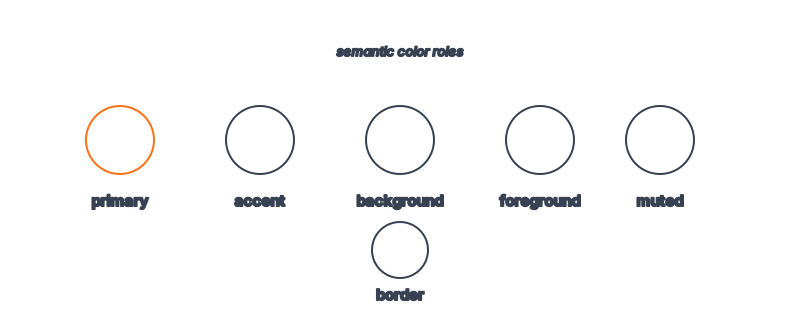
Against that calm dark backdrop sits Blurple — Discord's signature indigo-violet accent and the single most recognizable element of the brand. The DESIGN.md rations it the way a good system always does: Blurple marks primary actions, active states, and brand moments, while the rest of the interface stays neutral. Foreground text is an off-white rather than pure white, softening glare for those long sessions. The discipline here mirrors what you'll find in our design tokens explainer — the accent is precious precisely because it's used sparingly.
Typography and Readability: Designed for the Scroll
In a chat app, typography isn't decoration — it's the entire content experience. The DESIGN.md captures a clean, highly legible sans-serif optimized for short bursts of text at small sizes. Line-height is comfortable so dense message streams don't feel like a wall. Weight is used to separate usernames from messages and timestamps from content, establishing hierarchy without color.
The subtle trick is that Discord's type system has to work in motion. Messages arrive constantly; the eye is always scanning downward. So the spec favors consistency and rhythm over expressive variation — every message row should be instantly parseable. That's a very different brief from a marketing page, and it's exactly the kind of nuance that belongs in a spec rather than left to an agent's defaults.
What Makes Discord's Components Distinctive?
Roundness. Discord's components — buttons, avatars, cards, inputs — carry generous corner radii that read as friendly and approachable. Avatars are perfect circles; buttons are pill-soft; even containers avoid hard corners. The DESIGN.md encodes this as a core personality token, because it's the most reproducible signal of the brand's warmth.
Combined with dark surfaces and Blurple, that roundness is what makes a screenshot instantly "feel like Discord" even without the logo. For an agent, capturing radius correctly is half the battle — get the corners right and the rest of the brand falls into place.
Token Reference
| Token | Value / Direction | Role |
|---|---|---|
| Background | Layered dark grays | Low-glare, always-on comfort |
| Surface levels | Multiple dark tiers | Depth without bright borders |
| Accent | Blurple (indigo-violet) | Primary actions, active states, brand |
| Foreground | Off-white (not pure #FFF) | Readable, low-glare text |
| Font family | Clean humanist sans-serif | High chat readability |
| Body line-height | Comfortable (~1.4–1.6) | Scannable message streams |
| Radius | Generous / pill + circular | Friendly, approachable personality |
| Spacing | Compact but rhythmic | Density without claustrophobia |
Feeding the Discord DESIGN.md to an Agent
The practical test of any design system is whether an agent can build with it. Hand the Discord DESIGN.md to a coding agent with a prompt like "build a community chat sidebar," and the dark layered surfaces, the rounded avatars, the rationed Blurple, and the readable type all show up by default. The agent isn't guessing at "what feels like Discord" — it's reasoning inside a token boundary that already encodes the answer.
This is the heart of Stitch-style design systems: the spec becomes the shared language between brand intent and machine output. You can see how the same approach scales across products in our tour of 135 design systems.
Frequently Asked Questions
What is Blurple?
Blurple is Discord's signature brand color — an indigo-violet hue that anchors the interface's accents and brand moments. In the DESIGN.md it functions as the primary accent token, used sparingly against dark neutral surfaces.
Is this an official Discord design file?
No. The Discord DESIGN.md indexed on aiskill.market interprets Discord's publicly observable design language. It is not affiliated with or endorsed by Discord.
Why is Discord dark-first by default?
Because people keep it open for hours. Dark surfaces reduce glare and eye fatigue during long sessions, which is why the spec encodes dark as the default rather than an opt-in theme.
Can an AI agent really reproduce the Discord look?
To a strong degree, yes. The combination of layered dark surfaces, generous radii, rationed Blurple, and readable type is exactly what a DESIGN.md captures — see how agents build on-brand UIs.
Where do I find the actual tokens?
The Discord design system page lists the full token set and component guidance, ready to feed to an agent.
Browse 135+ agent-ready design systems in the Designs category, or explore the full skill catalog at aiskill.market.