Inside Stripe's Design System
How Stripe's design system balances technical precision and luxury — its restrained palette, crisp typography, and generous spacing, captured in an agent-readable DESIGN.md.
Few products in software carry the visual authority that Stripe does. Open a Stripe dashboard, an invoice, or a documentation page and you feel something specific: a sense that the engineering underneath is serious, and that someone cared about every pixel on top of it. Publicly, the brand is known for a design language often described as "simultaneously technical and luxurious" — a combination most companies never manage to hold together. When you reduce that feeling to tokens, you get a DESIGN.md file: an agent-readable, human-readable spec that lets an AI agent reproduce the Stripe aesthetic without a single Slack thread with the design team.
This piece walks through how the Stripe DESIGN.md captures that balance — the colors, the typography, the spacing, and the small decisions that separate "looks like a fintech" from "looks like Stripe." If you want the full token set, the Stripe design system page on aiskill.market has it.
This piece interprets the product's publicly indexed DESIGN.md and brand aesthetics; it is not affiliated with or endorsed by the companies named.
Key Takeaways
- Restraint is the strategy. The DESIGN.md captures a deliberately small palette — Stripe earns trust by removing color, not adding it.
- Typography does the heavy lifting. Crisp, tightly tracked type carries the "technical and luxurious" tension that color usually handles elsewhere.
- Whitespace is a feature, not a gap. Generous spacing signals confidence; cramped layouts read as cheap, and the spec encodes that explicitly.
- The system is built for trust. Every token serves the developer-facing promise that this product handles your money correctly — see how this plays out across fintech design systems.
- An agent can reproduce it. Feed the DESIGN.md to a coding agent and you get on-brand UI output — the whole point of Stitch-style design systems.
What Makes Stripe Feel "Technical and Luxurious"?
The phrase shows up constantly in discussions of Stripe's design, and it captures a real tension. "Technical" products usually look austere — monospace, dense tables, gray on gray. "Luxurious" products usually look soft — lots of air, refined type, muted color. Stripe's design language holds both at once.
The DESIGN.md captures this less through any single flashy token and more through proportion. Type is precise but generously sized. Spacing is wide but rhythmic. Color is muted but not lifeless. The result reads as a product that is confident enough not to shout — which, for a company moving money, is exactly the signal you want. Publicly, Stripe is known for this disciplined polish across its dashboard, docs, and marketing site, and that consistency is what a design token spec is designed to lock in.
The Color System: Restraint as Trust
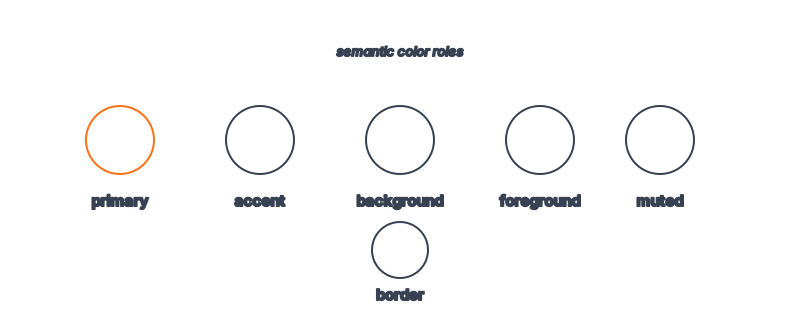
Stripe's palette is famously narrow. Rather than a rainbow of semantic colors, the DESIGN.md leans on a refined neutral foundation with a signature indigo-to-purple accent that the brand has made unmistakably its own. Backgrounds stay near-white or true white; text sits in deep, near-black slate rather than pure black, which softens contrast just enough to feel premium.
Accent color is rationed. Where most fintech dashboards drown users in green-up / red-down indicators, the Stripe approach uses its brand accent sparingly — for primary actions, focus states, and the occasional highlight. The DESIGN.md's do's-and-don'ts section is where this discipline gets enforced: don't introduce a new hue when a neutral and a weight change will do. That restraint is the entire trust play. A muted, consistent palette reads as "we have nothing to hide and nothing to prove."
Typography: Where the Precision Lives
If color is rationed, typography is where Stripe spends its budget. The DESIGN.md captures a clean sans-serif system — a humanist, highly legible typeface family with a carefully tuned scale. Headings are tightly tracked (negative letter-spacing), which gives them that crisp, engineered feel; body text stays comfortable with relaxed line-height for long-form documentation.
The weights matter. Stripe rarely goes heavier than semibold for UI, reserving bolder weights for genuine emphasis. This keeps the interface from feeling shouty while still establishing clear hierarchy. For agents building UIs, this is the hardest part to get right by intuition alone — which is exactly why a typography system for AI UIs belongs in the spec rather than in someone's head.
Spacing, Radius, and the Small Decisions
The "luxurious" half of the equation comes mostly from spacing. The DESIGN.md encodes a generous spacing scale — components breathe, sections are separated by real whitespace, and dense data is given room rather than crammed. Corner radii are gentle: rounded enough to feel modern and approachable, never so round that the product reads as playful or consumer-toy-like.
These are the decisions that are easy to describe and easy to get wrong. An agent left to its own defaults will tighten spacing and over-round corners. The spec exists precisely to override those defaults with Stripe's intentional choices.
Token Reference
| Token | Value / Direction | Role |
|---|---|---|
| Background | Near-white / #FFFFFF | Clean, calm canvas |
| Foreground | Deep slate (near-black, not #000) | Premium, softened contrast |
| Accent | Brand indigo / violet | Primary actions, focus, sparing highlights |
| Muted | Cool gray | Secondary text, borders, dividers |
| Font family | Humanist sans-serif | Crisp, legible, technical |
| Heading tracking | Tight (negative letter-spacing) | Engineered, precise feel |
| Body line-height | Relaxed (~1.5–1.6) | Long-form readability |
| Radius | Gentle / medium | Modern, never toy-like |
| Spacing | Generous scale | "Luxurious," confident whitespace |
How an Agent Uses the Stripe DESIGN.md
Here's the practical payoff. Hand this spec to a coding agent alongside "build me an invoice review screen," and the agent doesn't reinvent the look — it inherits it. The neutral background, the rationed accent, the tightly tracked headings, the generous padding all come along for free. This is the core idea behind how agents build on-brand UIs: the design system becomes a constraint the agent reasons inside, not a style it guesses at.
It also means consistency scales. Whether the agent builds one screen or fifty, every output sits inside the same token boundaries. For teams that have lived through the slow drift of a design system maintained by hand, that's the quiet revolution here. You can explore the same pattern applied to other products in our tour of 135 design systems.
Frequently Asked Questions
What is a DESIGN.md file?
A DESIGN.md is a single file combining YAML design tokens (colors, typography, spacing, radii) with markdown rationale (overview, component guidance, do's and don'ts). It's readable by both humans and AI agents, so feeding it to an agent produces on-brand UI output. See our full explainer.
Is this an official Stripe file?
No. The Stripe DESIGN.md indexed on aiskill.market is an interpretation of Stripe's publicly observable design language and brand aesthetics. It is not affiliated with or endorsed by Stripe.
Why does Stripe use such a restrained palette?
Restraint reads as trust. For a company that moves money, a calm, consistent, low-color interface signals competence and stability. The spec encodes this so agents don't "helpfully" add color the brand would never use.
Can I adapt the Stripe tokens for my own product?
Yes — that's a common use. Many builders study the structure (rationed accent, generous spacing, tight headings) and apply the principles to their own palette. See 9 product design systems to steal for a structured walkthrough.
Where can I see the actual tokens?
The Stripe design system page lists the full token set and component guidance, ready to feed to an agent.
Browse 135+ agent-ready design systems in the Designs category, or explore the full skill catalog at aiskill.market.