/loop, /goal & /schedule in Claude Code
The three native loop primitives in Claude Code — /loop, /goal, and /schedule — what each does, how they differ, and when to reach for which, with examples.
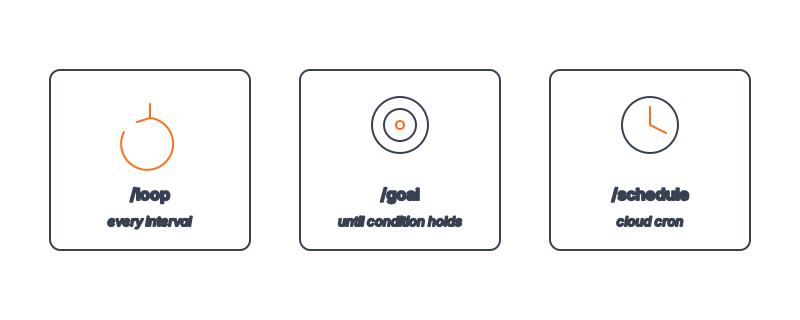
Claude Code ships three primitives for running work repeatedly, and they are not interchangeable. /loop repeats a prompt on an interval or until a stop condition. /goal runs until a verifiable end-state holds. /schedule runs your agent as a cloud cron job on a calendar. People reach for whichever name they remember first, then wonder why the agent quit after one pass or never stopped at all. The fix is matching the primitive to the shape of the work.
This piece walks through all three, side by side, with a clear rule for when to use which. If you're new to the underlying idea — that a loop is act → observe → decide → repeat until an exit condition fires — start with what loop engineering is, then come back here for the tooling.
Key Takeaways
/loopis for repetition — run a prompt or command again and again, on an interval or until a stop condition you name./goalis for convergence — run until a verifiable end-state is true, like Ship PR Until Green reaching all-green CI./scheduleis for the calendar — run the agent as a cloud cron job (daily digest, hourly health check) whether or not your laptop is on.- The decision rule: time-based →
/loop; state-based →/goal; calendar-based →/schedule. - All three still need a cap. Even a scheduled job should know when an individual run is done — exit conditions are the heart of every loop.
/loop: Repeat on an Interval or Until a Stop Condition
/loop is the workhorse. You give it a prompt or another slash command, and it runs that thing repeatedly. You can pin it to a wall-clock interval, or omit the interval and let the model self-pace between passes.
# Poll a deploy every 5 minutes until it reports healthy
/loop 5m "Check the latest production deploy. Run `curl -s https://api.example.com/health`.
If it returns ok, say DONE and stop. Otherwise report status and keep watching."

# Self-paced: no interval, the model decides when to run the next pass
/loop "Babysit open PRs: answer review comments, re-run failing checks, repeat until
every open PR is either merged or blocked on a human decision."
The mental model: /loop cares about cadence. It's ideal when the thing you're watching changes over time and you want repeated observations — a deploy rolling out, a queue draining, a long build finishing. The stop condition can be a phrase the model emits ("say DONE and stop") or a max-iterations cap you state in the prompt. Always include one. A /loop with no stop is how agents loop forever.
/goal: Run Until a Verifiable End-State Holds
/goal is subtly different and arguably the most powerful of the three. Instead of "do this on a timer," you describe a state of the world and the agent works until that state is true.
# Drive the branch to a passing PR — goal, not steps
/goal "A pull request is open for the current branch and all CI checks report success.
Implement, test, push, open the PR, fix CI. Run `gh pr checks` each pass.
Max 10 iterations. Stop when all checks pass or the cap is reached."
The difference from /loop is the unit of progress. /loop measures progress in passes elapsed; /goal measures it in distance to the end-state. That's why /goal underpins the flagship loops in the Loops channel: Ship PR Until Green and Test Until Green are both goal-shaped — there's a crisp finish line a command can verify. This is the closed-loop mindset described in from one-shot to closed-loop thinking: you specify the destination, not the route.
/schedule: Run as a Cloud Cron Job
/schedule moves the loop off your machine and onto a calendar. It registers a routine that runs on a cron schedule in the cloud — so it fires whether or not your laptop is awake.
# Every weekday at 9am, summarize overnight CI failures into a digest
/schedule "0 9 * * 1-5" "Review CI runs from the last 24h. Summarize failures by
repo and likely cause. Post the digest to #eng-status."

# One-time future run
/schedule "once tomorrow 15:00" "Re-run the flaky integration suite and report results."
/schedule is about when, not how long or how done. Each scheduled invocation is itself a small task that should still have its own exit condition — a digest job stops when the digest is posted. Think of /schedule as the trigger and /goal or /loop as the body. The classic pairing is a nightly /schedule that kicks off goal-shaped work — the basis of continuous Claude Code while you sleep.
When Should I Use Which?
| You want to... | Primitive | Stops when |
|---|---|---|
| Watch something change over time | /loop | Interval-based stop condition or cap |
| Reach a specific, checkable end-state | /goal | The verifiable condition is true (or cap) |
| Run on a calendar / cron | /schedule | The scheduled run completes; recurs next tick |
| Drive a PR to green CI | /goal | gh pr checks reports all success |
| Poll a deploy every N minutes | /loop | Health check passes |
| Send a 9am daily report | /schedule | Report is sent; fires again tomorrow |
The one-line heuristic: time → /loop, state → /goal, calendar → /schedule. When two seem to fit, ask what ends the run. If the answer is "a clock," you want /loop or /schedule. If it's "a condition," you want /goal.
A Worked Example: Combining All Three
The primitives compose. A mature setup often uses all three together:
/schedule "0 2 * * *"  ──fires nightly──▶  /goal "ship the queued task to a green PR"
                                                  │
                                                  └── internally, the agent may
                                                      /loop "gh pr checks" until green
A scheduled job (/schedule) wakes the agent at 2am. The agent pursues a goal (/goal) — ship the next queued task to a passing PR. Inside that, it loops (/loop) on gh pr checks until CI settles. Calendar triggers convergence triggers repetition. That layering is the toolchain backbone described in the 2026 loop engineering toolchain.
You don't have to build from scratch. The Loops channel ships 150+ recipes that already encode the right primitive for each job, with paste-ready kickoff prompts.
Frequently Asked Questions
Can I just use /loop for everything?
You can, but you'll fight it. /loop measures progress in elapsed passes, so for state-shaped work you end up bolting a verification check into the prompt — which is exactly what /goal gives you natively. Use the primitive whose stopping logic matches your task and you write less prompt and get fewer surprises.
Does /schedule run on my machine or in the cloud?
In the cloud, as a routine. That's the point — a scheduled health check or daily digest needs to fire whether or not your laptop is open. For loops that must run unattended overnight, /schedule is the trigger; see continuous Claude Code while you sleep.
How do I stop a runaway /loop?
Two layers. First, every /loop prompt should include a stop condition or max-iterations cap — that's the primary brake. Second, you can stop a running loop interactively. If your loops run away regularly, the cause is almost always a missing or non-deterministic stop condition, covered in why your agent loops forever.
Is /goal the same as Ship PR Until Green?
No — /goal is the primitive; Ship PR Until Green is a specific, guardrailed configuration of it with a chosen goal, exit, cap, and anti-gaming rules. Think of /goal as the engine and the skill as a tuned vehicle.
Which primitive do most channel recipes use?
The flagship convergence loops use /goal. Monitoring and polling recipes use /loop. Reporting and maintenance recipes use /schedule. The recipe page for each loop tells you which, so you can read the pattern before you paste.
Browse 150+ ready-to-run agent loops in the Loops channel, or explore the full skill catalog at aiskill.market.