Vexor is a semantic search engine that builds reusable indexes over files and code.
It supports configurable embedding and reranking providers, and exposes the same core through a Python API, a CLI tool, and an optional desktop frontend.
Vexor Demo Video
Featured In
Vexor has been recognized and featured by the community:
- Ruan Yifeng's Weekly (Issue #379) - A leading tech newsletter in the Chinese developer community.
- Awesome Claude Skills - Curated list of best-in-class skills for AI agents.
Why Vexor?
When you remember what a file does but forget its name or location, Vexor finds it instantly—no grep patterns or directory traversal needed.
Designed for both humans and AI coding assistants, enabling semantic file discovery in autonomous agent workflows.
Install
Download standalone binary from releases (no Python required), or:
pip install vexor # also works with pipx, uv
Quick Start
0. Guided Setup (Recommended)
vexor init
The wizard also runs automatically on first use when no config exists.
1. Search
vexor "api client config"  # defaults to search current directory
# or explicit path:
vexor search "api client config" --path ~/projects/demo --top 5
# in-memory search only:
vexor search "api client config" --no-cache
Vexor auto-indexes on first search. Example output:
Vexor semantic file search results
──────────────────────────────────
#   Similarity   File path                       Lines   Preview
1   0.923        ./src/config_loader.py          -       config loader entrypoint
2   0.871        ./src/utils/config_parse.py     -       parse config helpers
3   0.809        ./tests/test_config_loader.py   -       tests for config loader
2. Explicit Index (Optional)
vexor index  # indexes current directory
# or explicit path:
vexor index --path ~/projects/demo --mode code
Useful for CI warmup or when
auto_index
is disabled.
Desktop App (Experimental)
The desktop app is experimental and not actively maintained.
It may be unstable. For production use, prefer the CLI.
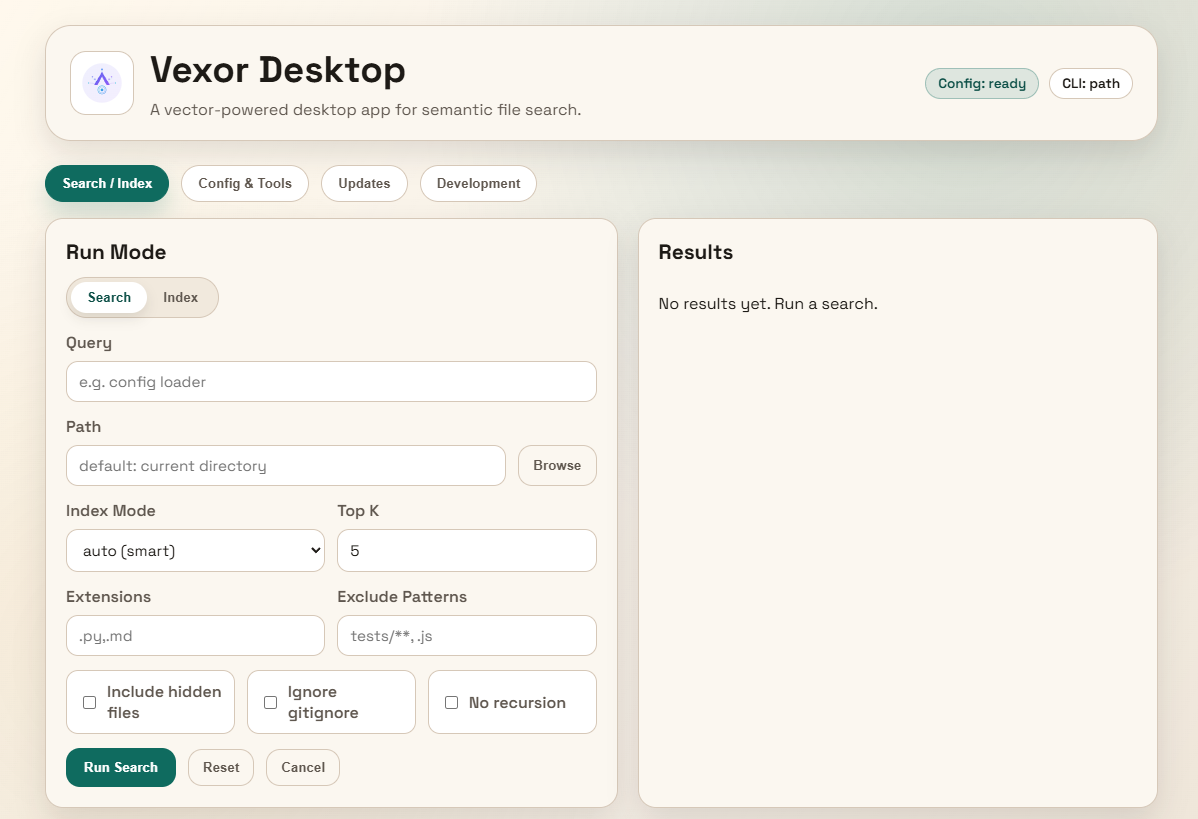
Download the desktop app from releases.
Python API
Vexor can also be imported and used directly from Python:
from vexor import index, search

index(path=".", mode="head")
response = search("config loader", path=".", mode="name")

for hit in response.results:
    print(hit.path, hit.score)
By default it reads
~/.vexor/config.json
. For runtime config overrides, cache
controls, and per-call options, see
docs/api/python.md
.
AI Agent Skill
This repo includes a skill for AI agents to use Vexor effectively:
vexor install --skills claude  # Claude Code
vexor install --skills codex   # Codex
Skill source: plugins/vexor/skills/vexor-cli
Configuration
vexor config --set-provider openai          # default; also supports gemini/custom/local
vexor config --set-model text-embedding-3-small
vexor config --set-batch-size 0             # 0 = single request
vexor config --set-embed-concurrency 4       # parallel embedding requests
vexor config --set-extract-concurrency 4     # parallel file extraction workers
vexor config --set-extract-backend auto      # auto|thread|process (default: auto)
vexor config --set-auto-index true          # auto-index before search (default)
vexor config --rerank bm25                  # optional BM25 rerank for top-k results
vexor config --rerank flashrank             # FlashRank rerank (requires optional extra)
v